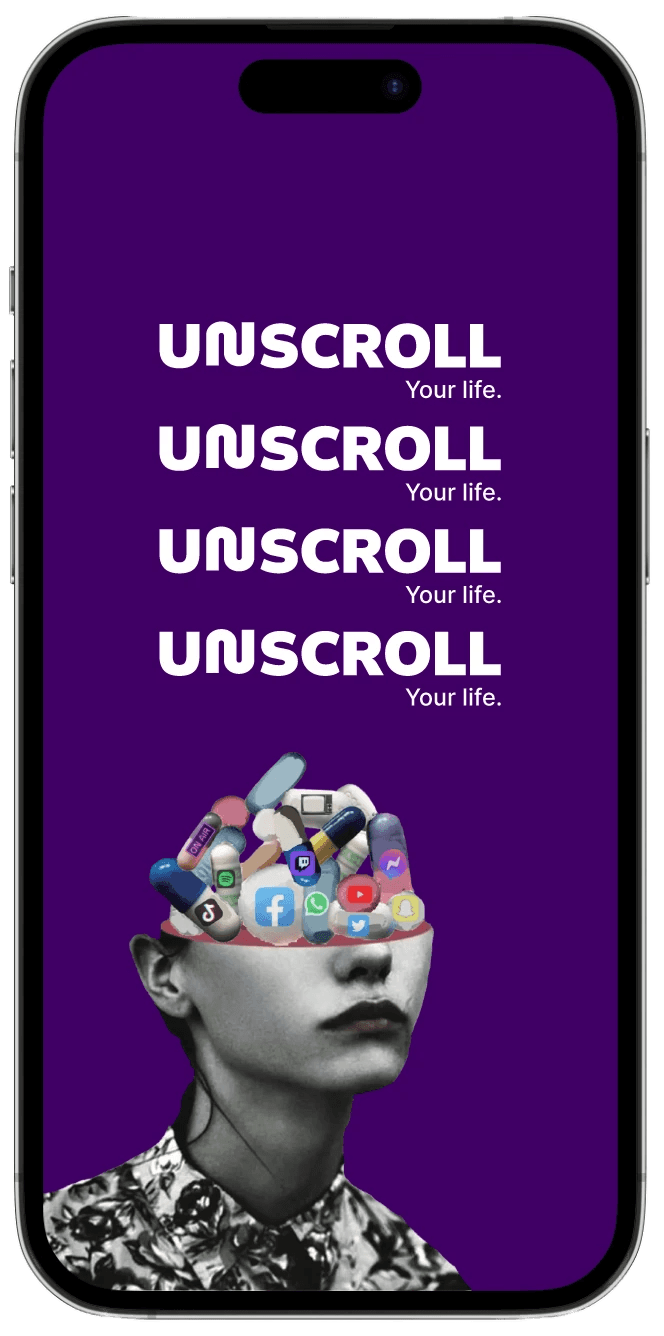
UNSCROLL
stopping social media addiction
Introduction
In the winter of 2026, during our UX/UI Design Bootcamp at Barcelona Code School, we were handed a sprint briefing that felt more like a legislative mandate: Tackle mobile phone addiction on behalf of the European Union.
As a joint team, we were granted the hypothetical power to enforce digital laws across iOS, Android, and global social platforms. The goal wasn't just to design a "cool app," but to dismantle the dopamine-driven loops—like endless scrolling and FOMO—that keep users tethered to their screens.
Our First Impressions
Despite our excitement, the sheer scale of the brief was daunting. We had just four weeks to solve a global crisis, making it a true "monster challenge" from day one.
As the teacher went into details my mind was racing thinking “how will we tackle this problem? This is actually such a big current issue! How does a legislative power exactly work here? How or what can we create with such a vague problem? & what’s for lunch?” All of these thoughts initially had me feeling a bit overwhelmed considering the short timeframe we had to execute this, but lucky for us, out instructor taught us that jumping into a solution too quick would be a mistake.
The Mission
To succeed, we had to move past the initial "briefing shock" and develop data driven insightful design. Our task was to create a suite of features that protect the general public while finding our target market users.
This is the story of how we balanced legislative power with user-centered design to help users reclaim their time.
Discover
Deconstructing the Brief
To help kick off our research, we moved straight into a Lean UX Style exercise to help us not only get some ideas going, but to actually help us start to think about what our research goal would be.
We were tasked with answering four core questions to define our mission:
1. Business Problem – What issue are we solving?
2. Business Outcomes – How will we measure success?
3. Users – Who experiences this problem?
4. User Outcomes & Benefits – What value will they gain if we succeed?
At this point, Catarina and I had our own ideas of the above, and to ensure our team project was a joint narrative, we compared our perspectives to find the common ground between each.
Here is how we broke down the challenge from our individual perspectives:
Research Goal
Moving onwards, we set out to create a research goal only to realize we went about it slightly different. Despite our different starting points, we didn't find much to disagree on. Instead, our goals felt like they complemented each other.
We agreed that our primary goal was:
To discover the best possible method of designing a service that is both feasible and desirable when handling the issue of mobile phone overuse.
Research Questions
Once we aligned on our main research goal, we focused on understanding how and why people use their phones the way they do. So we gathered our research questions:
How do people’s actual screen time compare to how they feel about their quality of life?
What types of system-level tools or settings users would realistically be willing to use?
What motivates people to engage with helpful features instead of ignoring them?
Which strategies actually lead to meaningful change?
Is social media the biggest driver when it comes to how long someone is using their phones?
What design elements and habits (like notifications, endless scrolling, and algorithm-based feeds) keep users coming back?
When and how people start noticing that their screen time might be a problem?
Which age groups or communities seem to be most affected by excessive phone use?
How can we educate people to have a healthier interaction with mobile devices?
User Survey Introduction
Now that we established our high-level research questions we wanted to get into the nitty gritty of user behaviors, patterns, and usage when it comes to, what we were now calling, “phone addiction”. And being just a 2-student class, we easily came to the agreement that we should have our project focus particularly on social media, so after doing some initial research online decided to include a section at the end that would gives us further insight to this. After we successfully created and disseminated our baby bird Google form survey, we clicked on the “publish” button and sent it to fly high and only come back to us with answers, hoping that this series of questions would help us better understand where exactly to focus.
User Survey Insights
Our survey findings validated key assumptions while uncovering meaningful behavioral patterns. Most respondents reported using their phones for three or more hours daily, with social media accounting for the majority of that time. This confirmed that excessive usage is not occasional — it’s habitual and embedded in daily routines.
A recurring theme was habitual, boredom-driven phone use. Many participants admitted they instinctively reach for their devices and would find it difficult to go a full day without them. This signaled a strong behavioral dependency rather than purely intentional engagement.
Importantly, over half of respondents had already attempted to reduce their screen time — using app blockers, deleting social media apps, or physically distancing themselves from their phones. This revealed a clear gap: users are aware of the problem and motivated to change, but existing solutions are not sustainable.
When exploring platform preference, most identified Instagram as their primary app. Notably, 44% reported feeling drained or guilty after extended scrolling, while another 44% felt neutral. This emotional disconnect highlighted an opportunity to design for more mindful, intentional engagement rather than passive consumption.
Finally, 85.7% agreed that social media should have legal age regulations for minors, indicating strong awareness of social media’s broader impact and reinforcing the need for responsible design practices.
User Interview Introduction
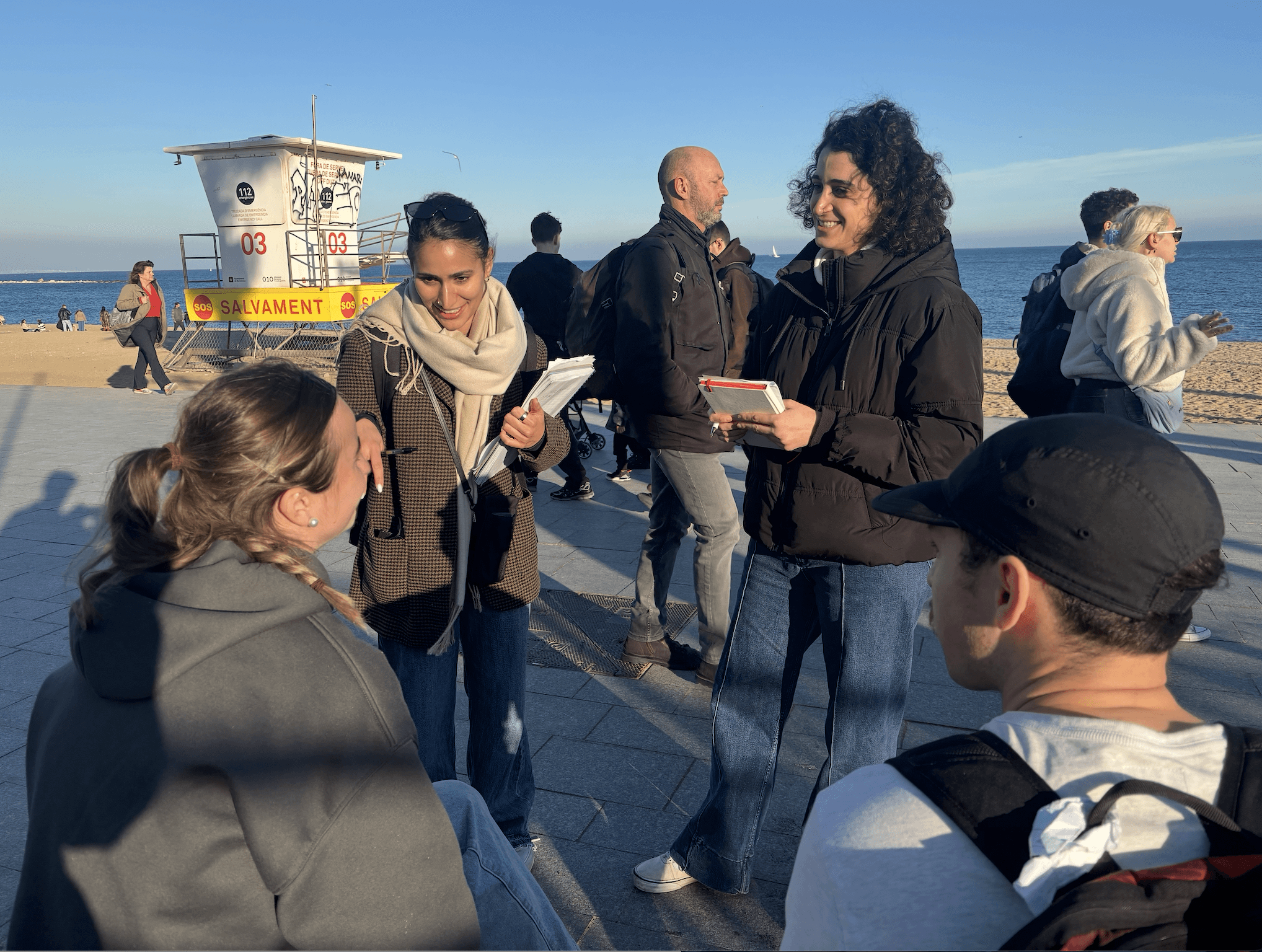
After gathering insights from our user surveys, we somehow still had more questions. That is when we took to the streets to follow Jakob Nielsen's Rule of 5, and decided to conduct atleast 5 user interviews to help us fill in the gaps of our knowledge.
The questions we came up with for our street user interviews stemmed from gaps of knowledge we didn’t get from the google form. We stuck to 6 simple questions as follows:
What industry are you in?
Do you feel you use your phone too much?
What time a day do you use your phone? OR On average, how much screen time do you spend on your phone per day?
Can you go a whole day without social media?
Do you believe the underage is a vulnerable group?
Are you prepared to see legislation for kids? If so, what age are we talking about?
User Interviews Conclusion
After an overachieving 7 interviews with people from across the world, different age ranges and industries, we gathered the following insight:
Most participants felt they used their phones more than they should, especially in the evenings or at night.
Excessive use was often linked to downtime after work or before bed.
Most participants believed they could go a day without social media or their phone. However, many admitted they would find it difficult or undesirable.
General consensus that regulation is needed to protect young users, oddly enough many said it should be restricted for those 14 and under
All and all, these interviews confirmed our general direction that we should indeed implement some form of design that would help limit the time someone spends on social media while trying to understand why other methods that exist have not been successful or as effect.

Discover Summary
At this point in the process, I decided to do massive table with all our findings and truly get down to the why. I’ll spare you from reading a whole table and give you the high-level recap that is:
In conclusion we have confirmed that the problem is that many users are spending a significant amount of time on their phones—often automatically during moments of boredom, relaxation, or fatigue—and although they are aware their usage is high, they lack clear guidance or boundaries around what constitutes healthy use, resulting in phone use that displaces time from other important areas of their lives.
Define
Benchmark Analysis
Originally, our thought was to build an app, so natural I set out to look at apps that already existed in the space of limiting phone/social media usage as well as any indirect competitors such as time limits that some users already claimed to have tried.
User Persona
With all the info we gathered we created two user personas: a Gen Z’er named Theo, and a millenial named Mariana.
Because Catarina and I personally related to Mariana, and many of the users of the survey fell within this demographic of being a Millenial, we decided to move forward with only Mariana.
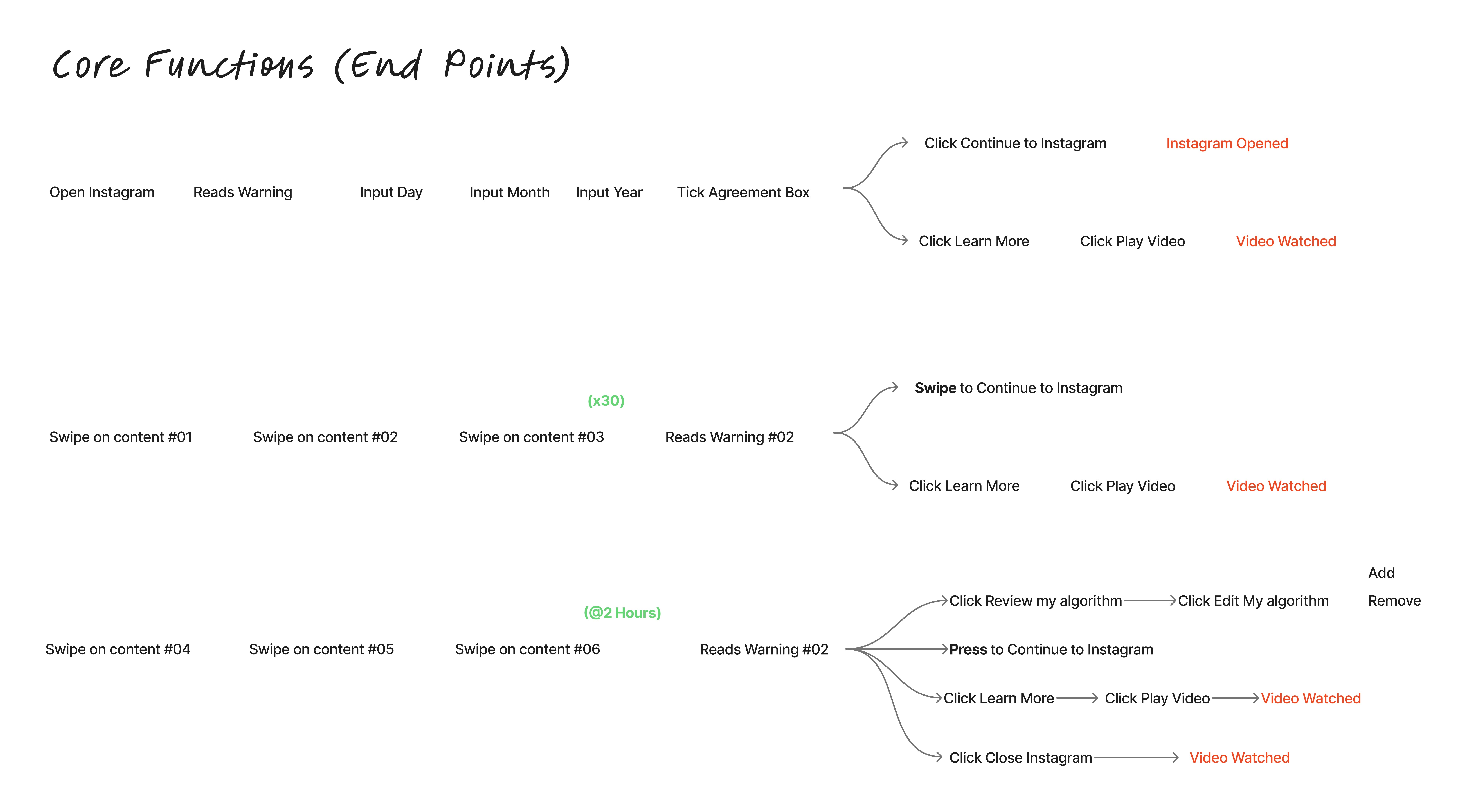
Information Architecture: Task Flow Analysis
At this stage, we wanted to get a better understanding of how Mariana would move about instagram and when she could potentially receive some of the warnings we were thinking of.
Emotional Journey Map
Target
We decided to outline what we were going to build:
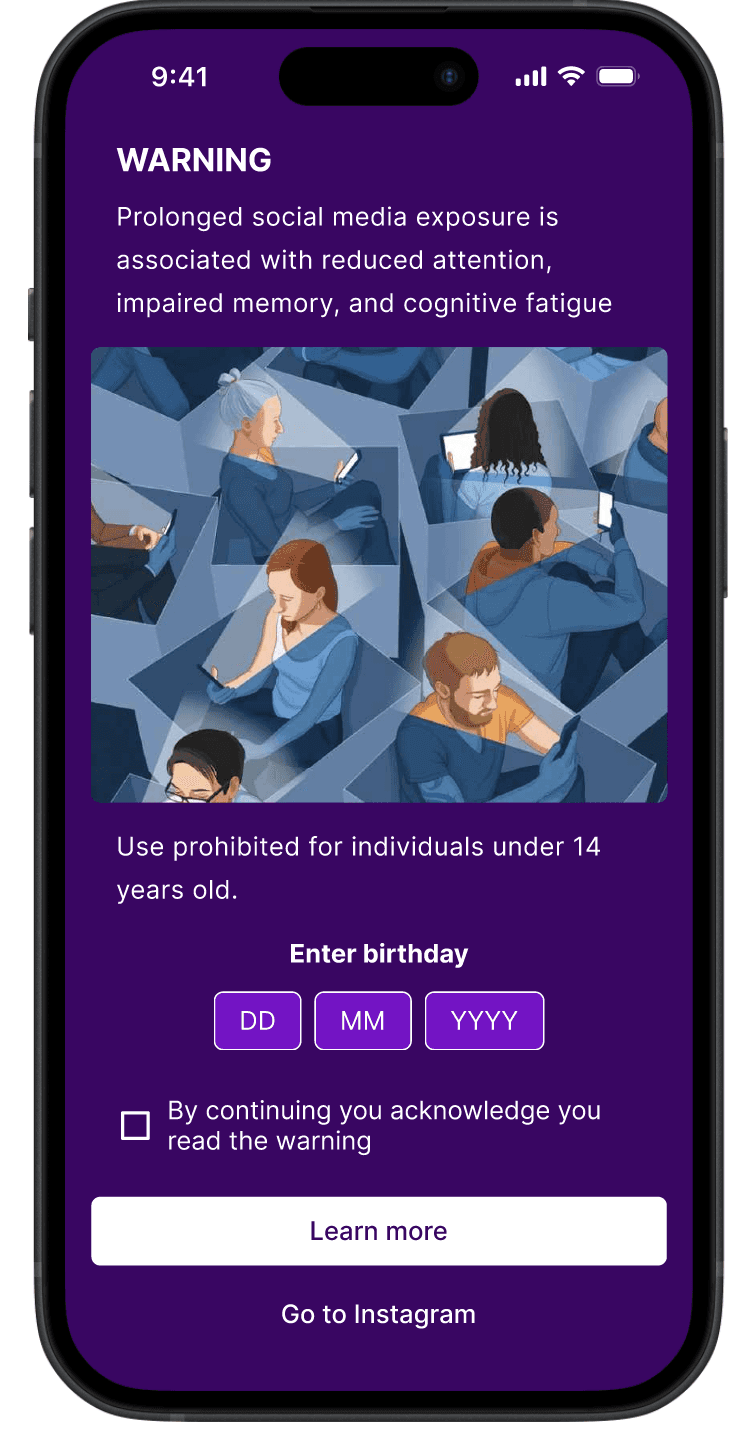
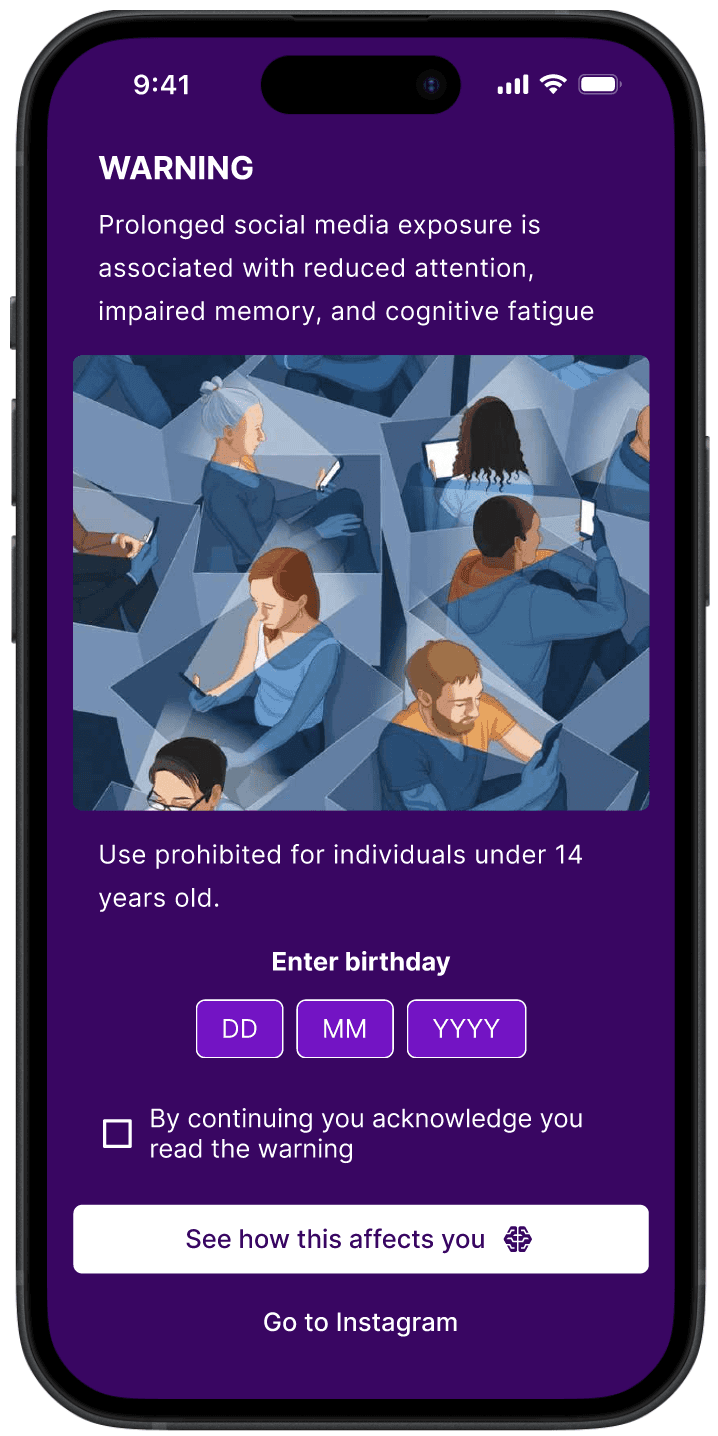
Onboarding Interface: Screen display for risk information
Age Verification Module: Mandatory birthdate input field with validation logic for the 14+ age threshold.
Check box: Agree to continue
Learn more button: Links to learn more page
Continue to Instagram button
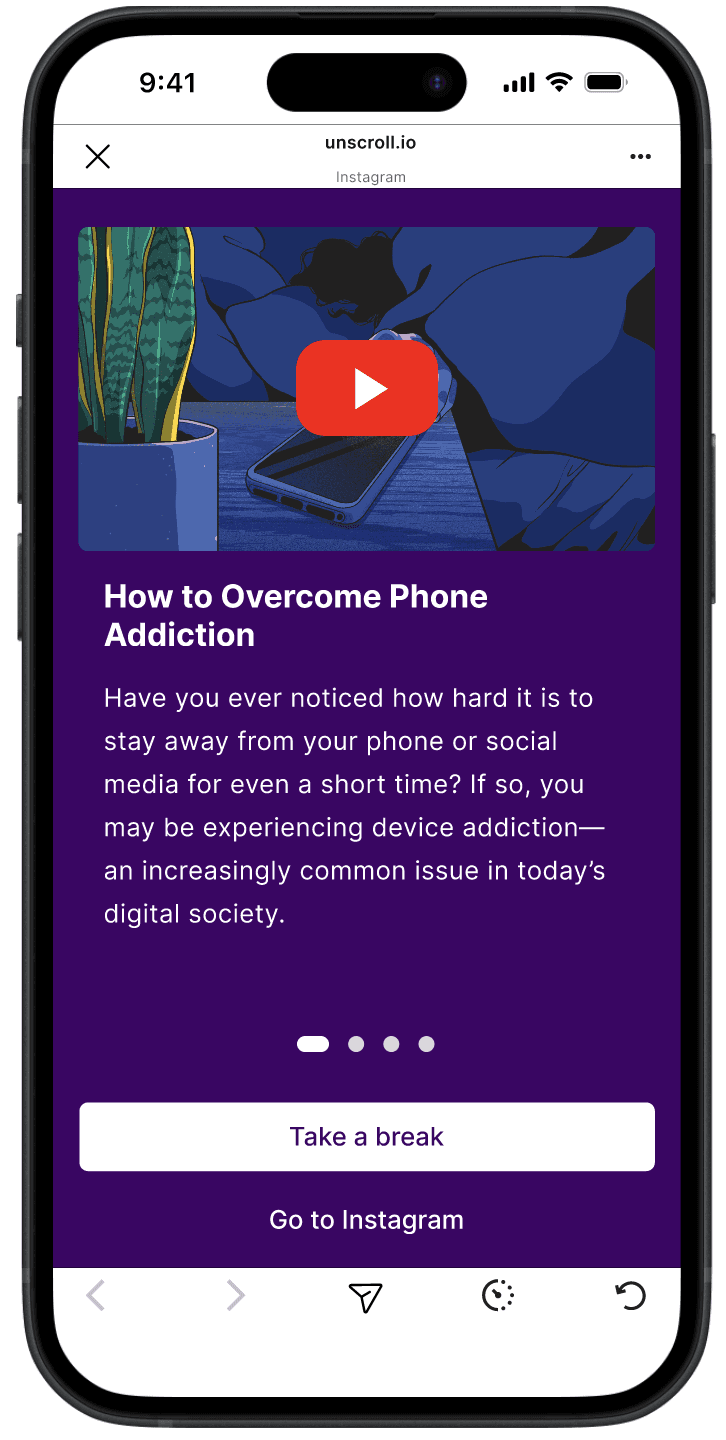
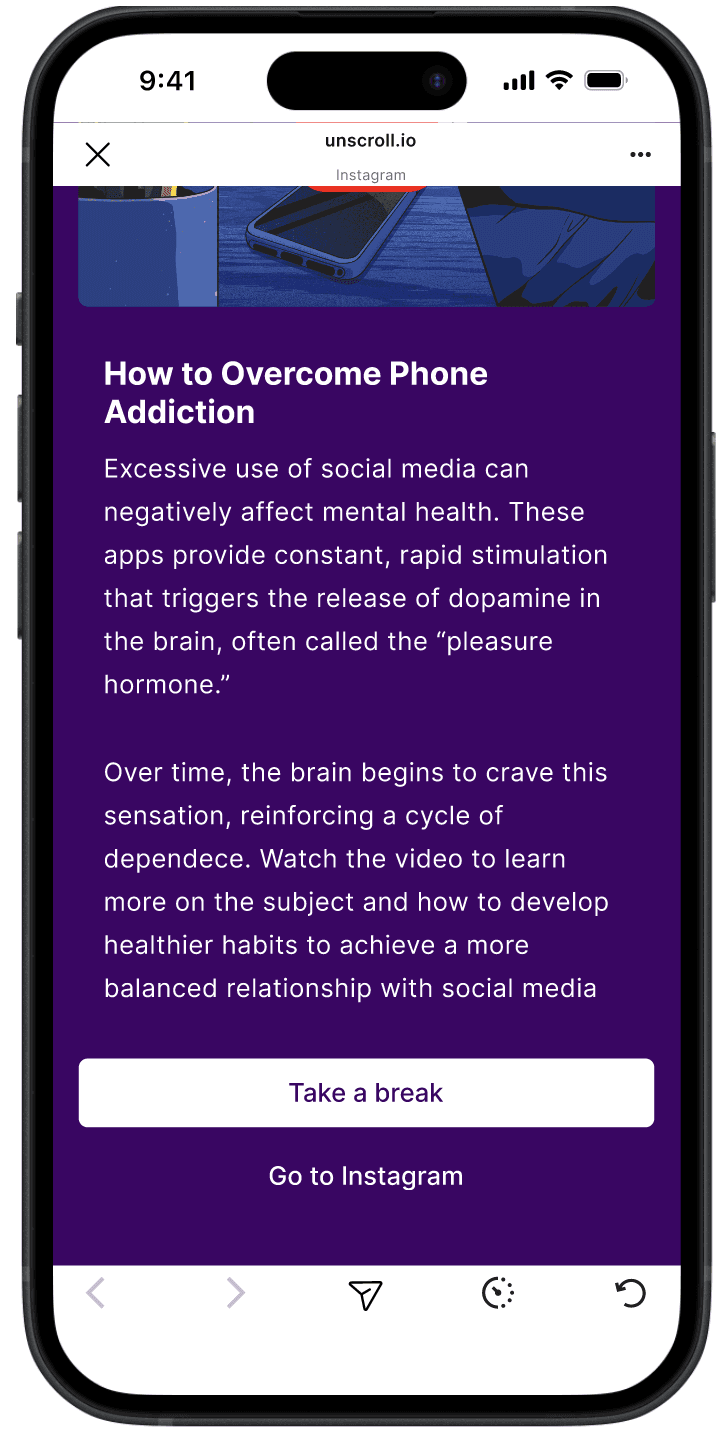
Learn More Page: page that has information on the impacts of prolonged social media use
Fullpage warning #1 Popup that will take the full screen and serve as a warning of too much time on social media
Slider Images: showing images of symptoms of too much time spent on social media
Take a Break Button- Exits instagram app
Keep Scrolling Button - allows users to keep scrolling
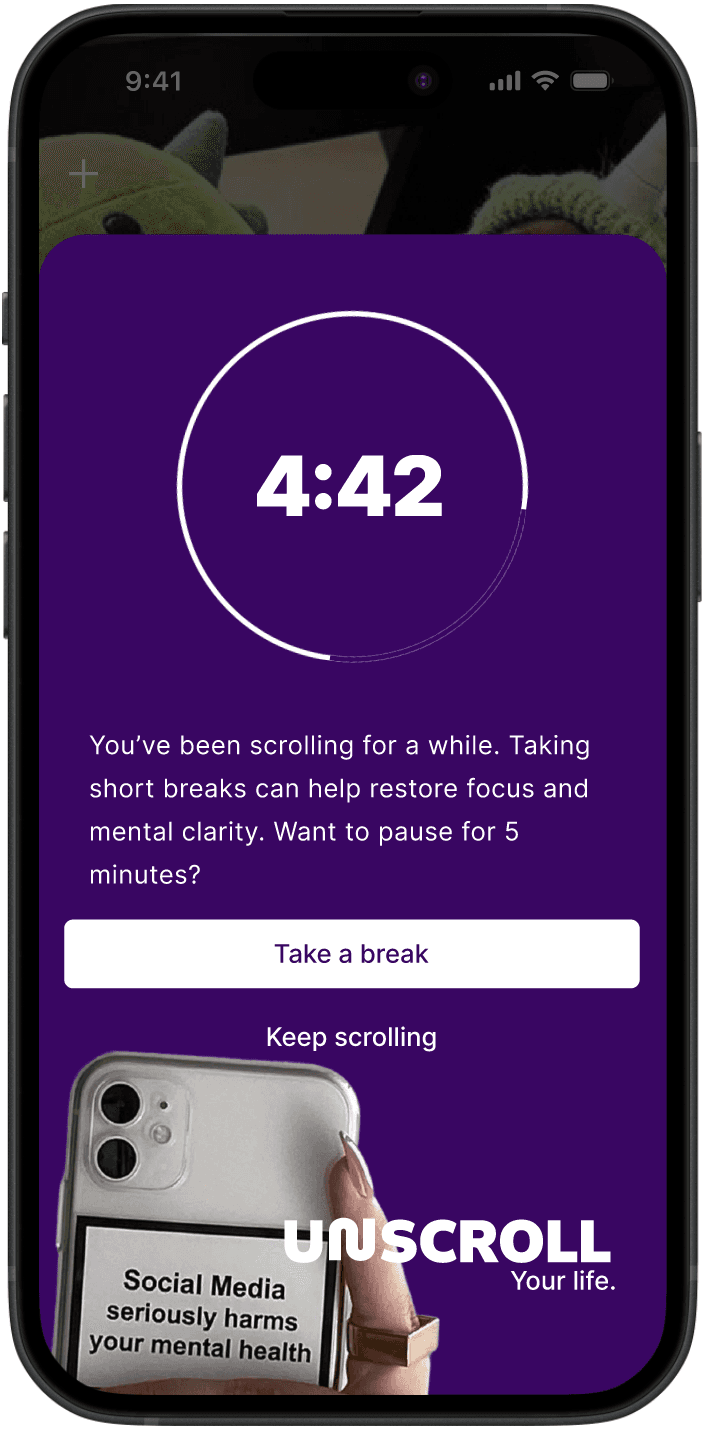
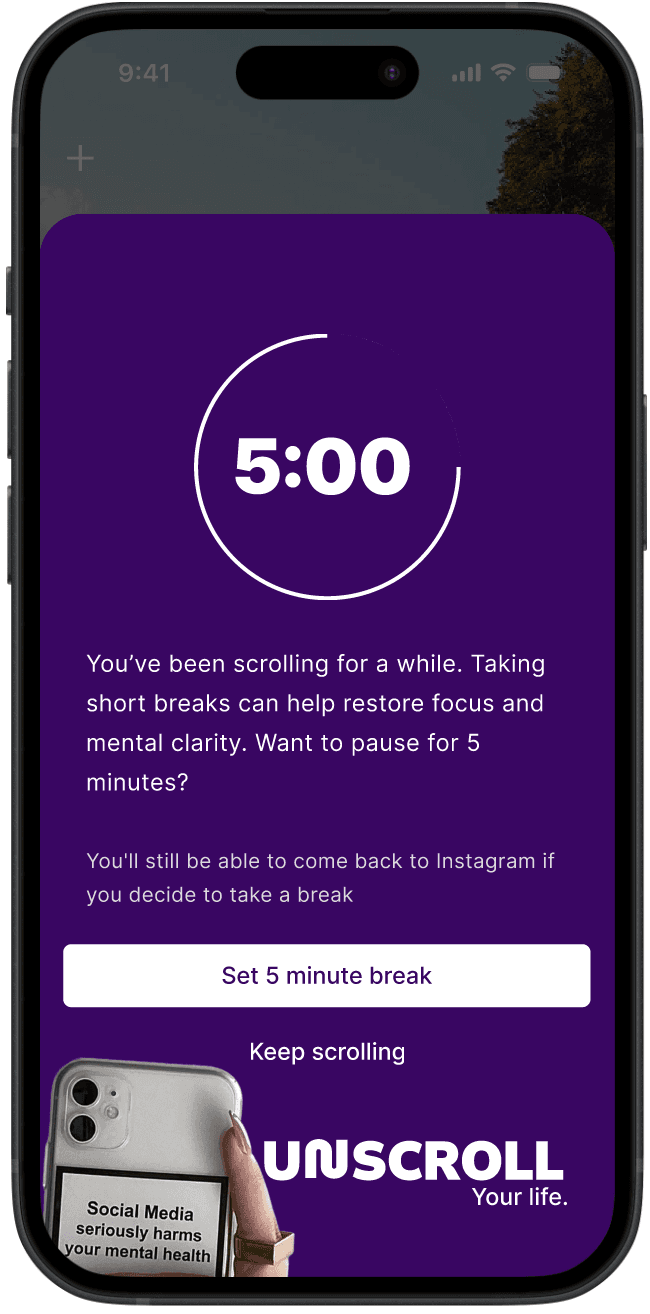
Reels Warning #1 - 5 minute timer
5 minute timer: counting down for a break
Take a Break Button- Exits instagram app
Keep Scrolling Button - allows users to keep scrolling
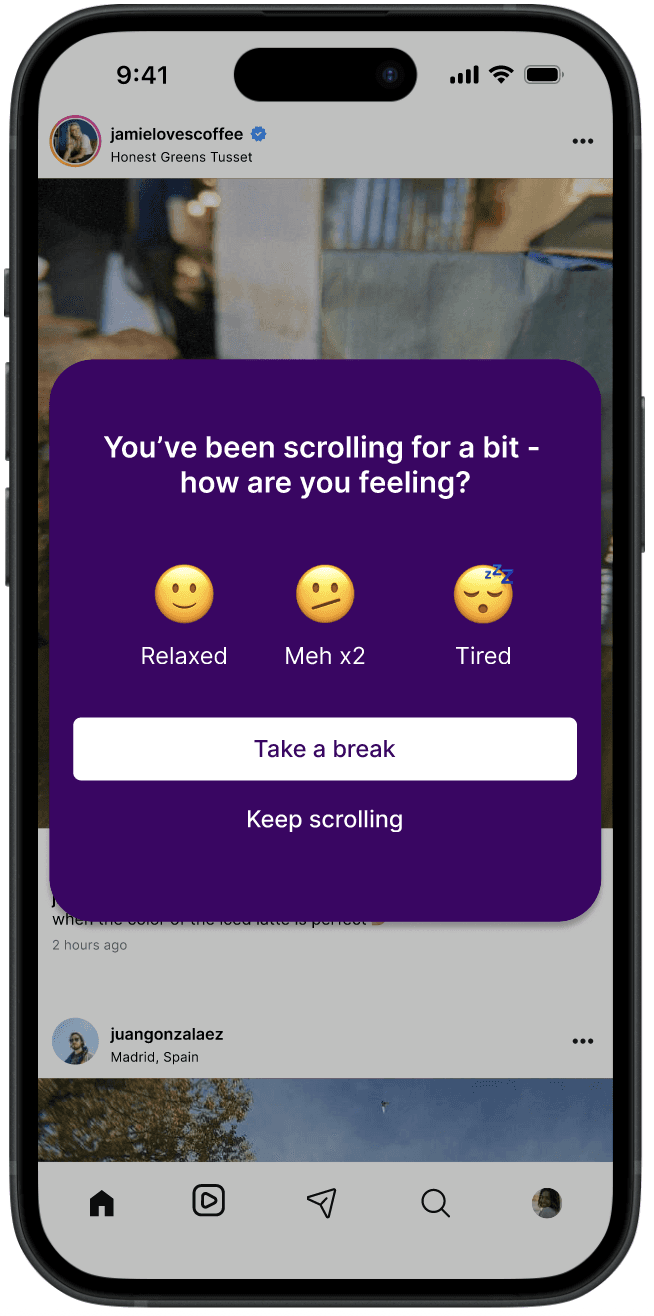
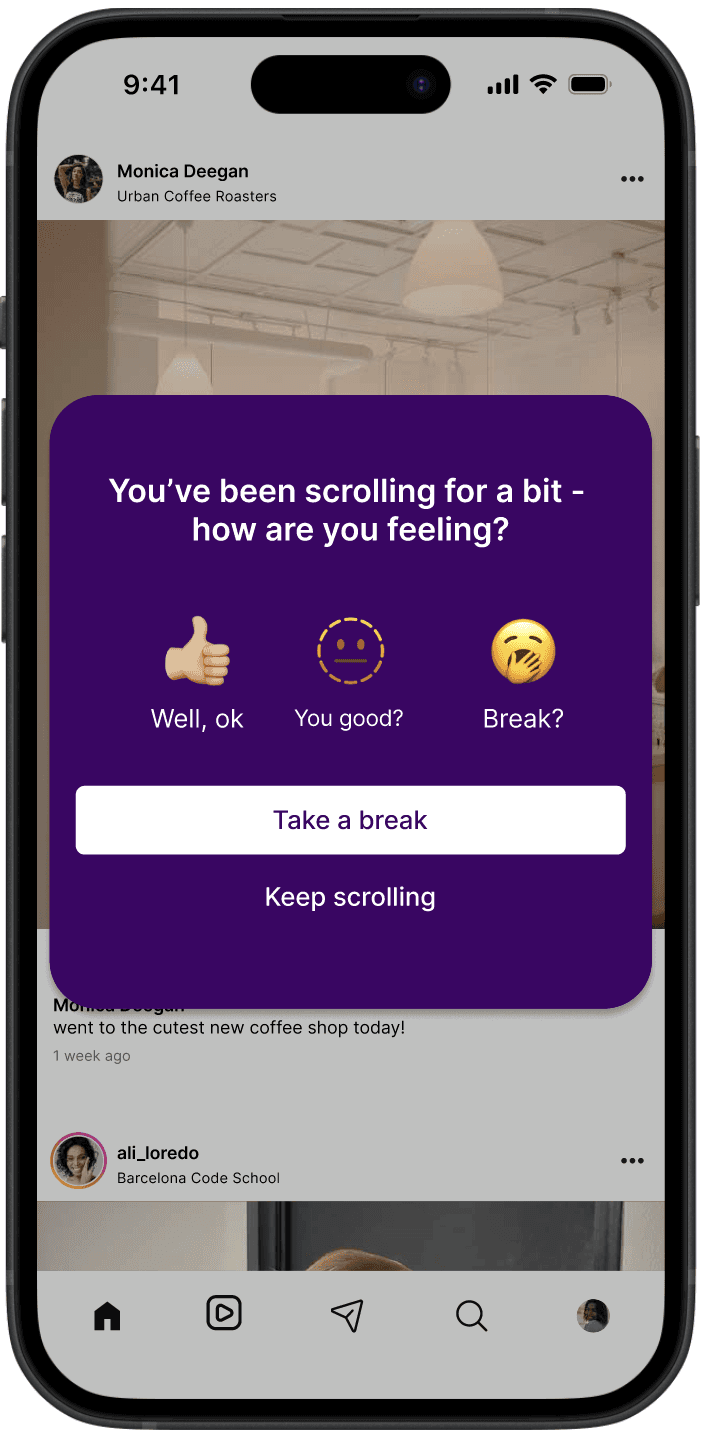
Home Page Warning #2 - Passive warning that pops up “after 30 scrolls”
Take a Break Button- Exits instagram app
Keep Scrolling Button - allows users to keep scrolling
Reels Warning #2 - 2 hour warning popup
Timer that has a 2 hours on it and is actively counting up the seconds
Learn more button - Links them to the same learn more page as the intial warning
Review my Algorithm Button
Take a Break Button- Exits instagram app
Keep Scrolling Button - allows users to keep scrolling
Review my Algorithm Page- build that will give the users options to adjust their algorithm settings
Ideate
Moodboard
My original thought process when creating my moodboard below was including the EU colors since it would ultimately be an extension of the government for this new legislative campaign. While also intertwining a mix of modern/digital technology to help convey the story of phone use/addiction.
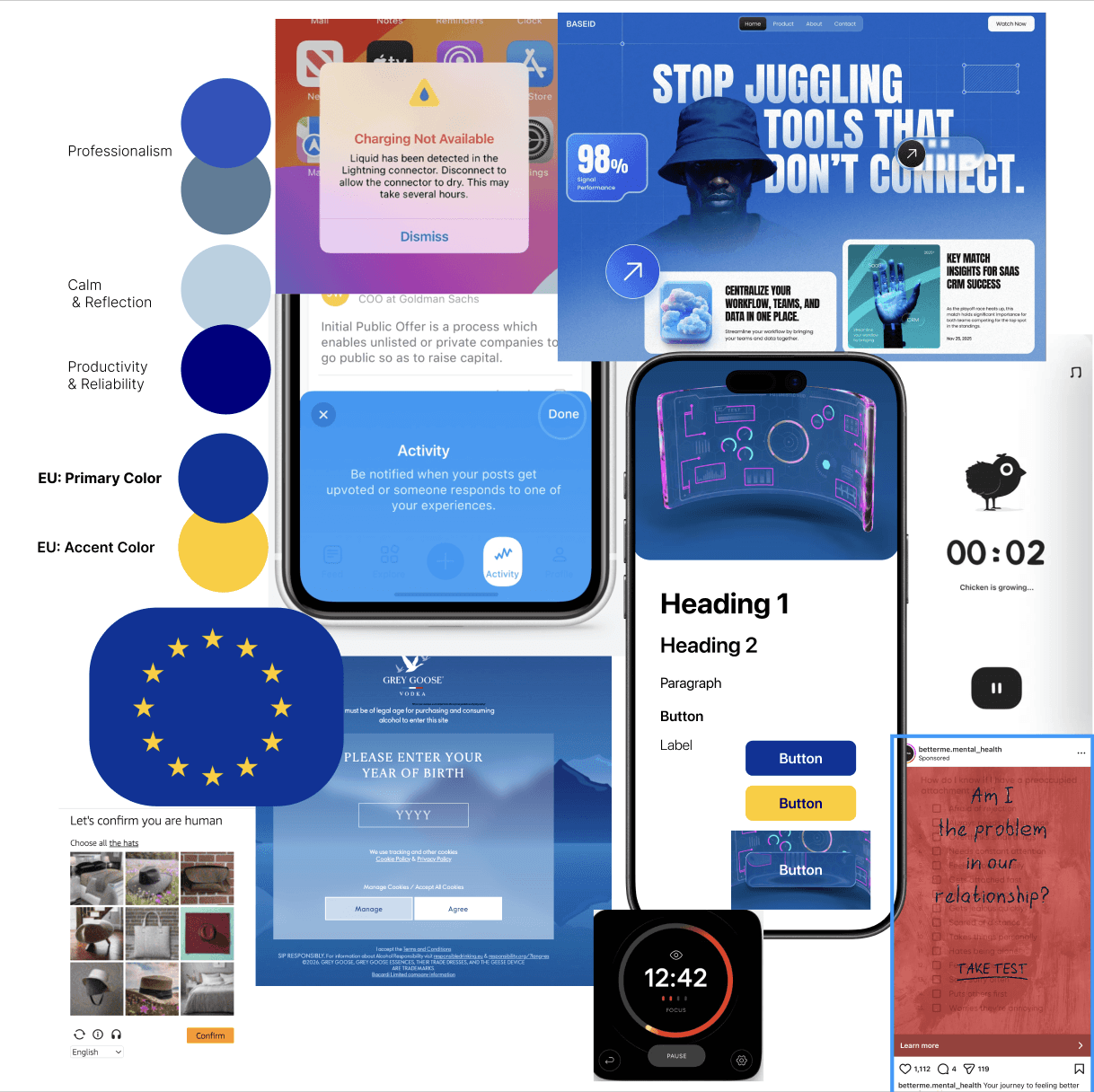
Catarina's Moodboard for reference
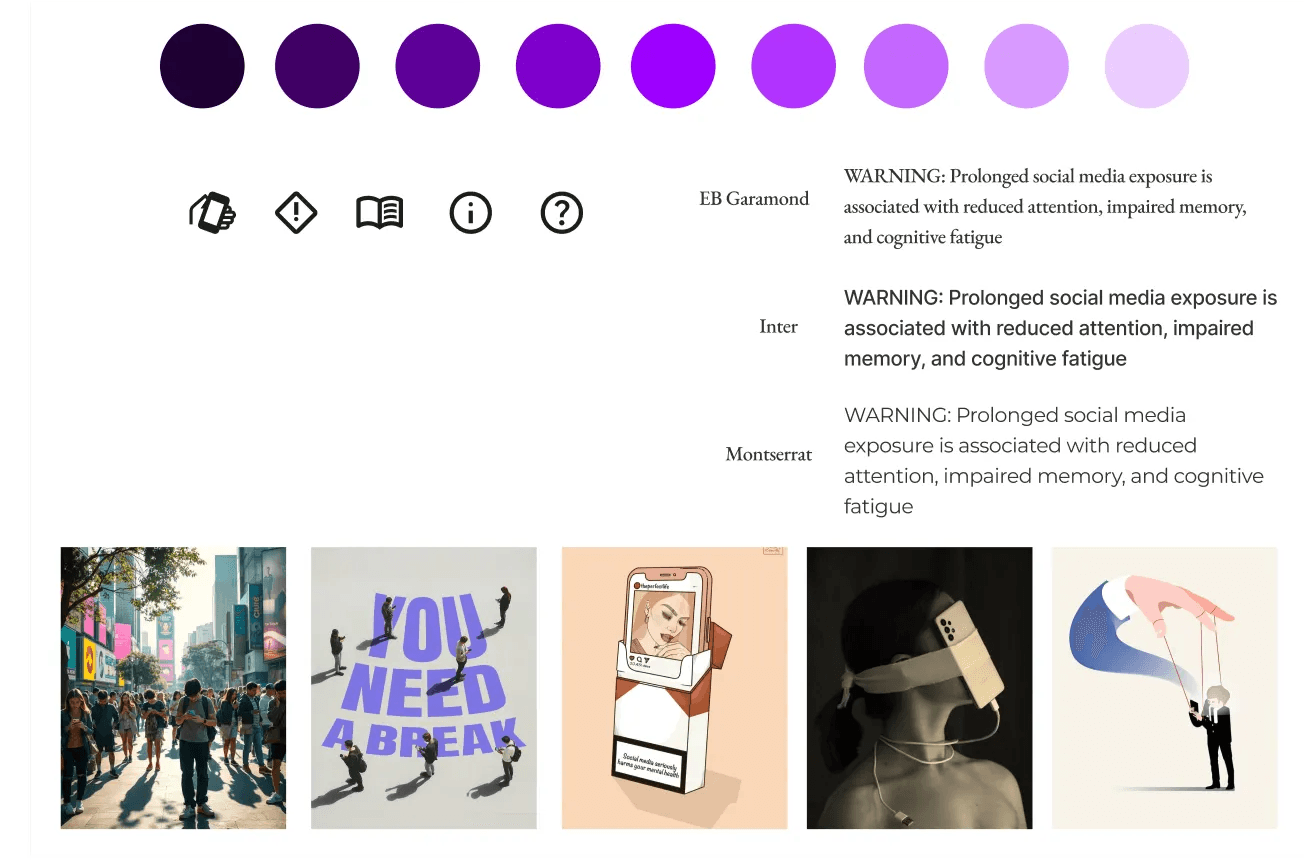
Style Guide
After reviewing both moodboards we merged the EU colors of mt moodboard with the pop of purple from Catarina’s moodboard to create our new color palette. We also wanted to include this sense of irony in our photography to capture the This made me realize that the campaign itself could actually deviate from the formal branding of the EU creating color stops from the EU blue to the purple we selected. We also still introduced subtle designs like the stars in the pattern to pull from the EU flag that has stars, or pulling some of the boxy, 3d shapes that reflected the logo we originally created.
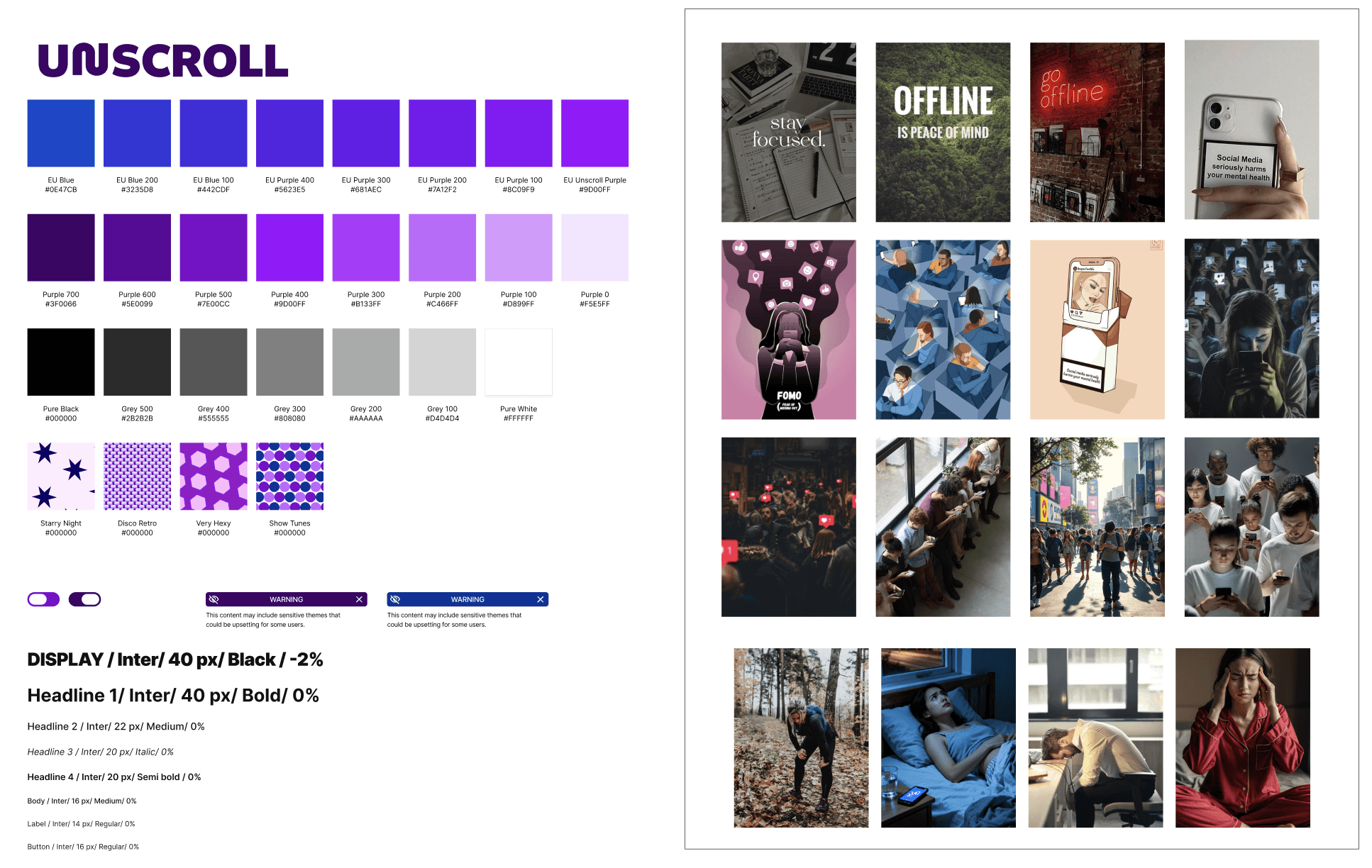
Original Logo created from our joint color palette, and boxy/ 3D style text noted in one of the images from my original moodboard:

Because many logos have moved away from the 3D style effect such as Netflix, Instagram, BMW and many more, we made a new iteration of our logo that was 2D but still captured the boxy essence of our style above resulting in our final direction:

Lo-Fi Sketches
Started with Crazy 8s
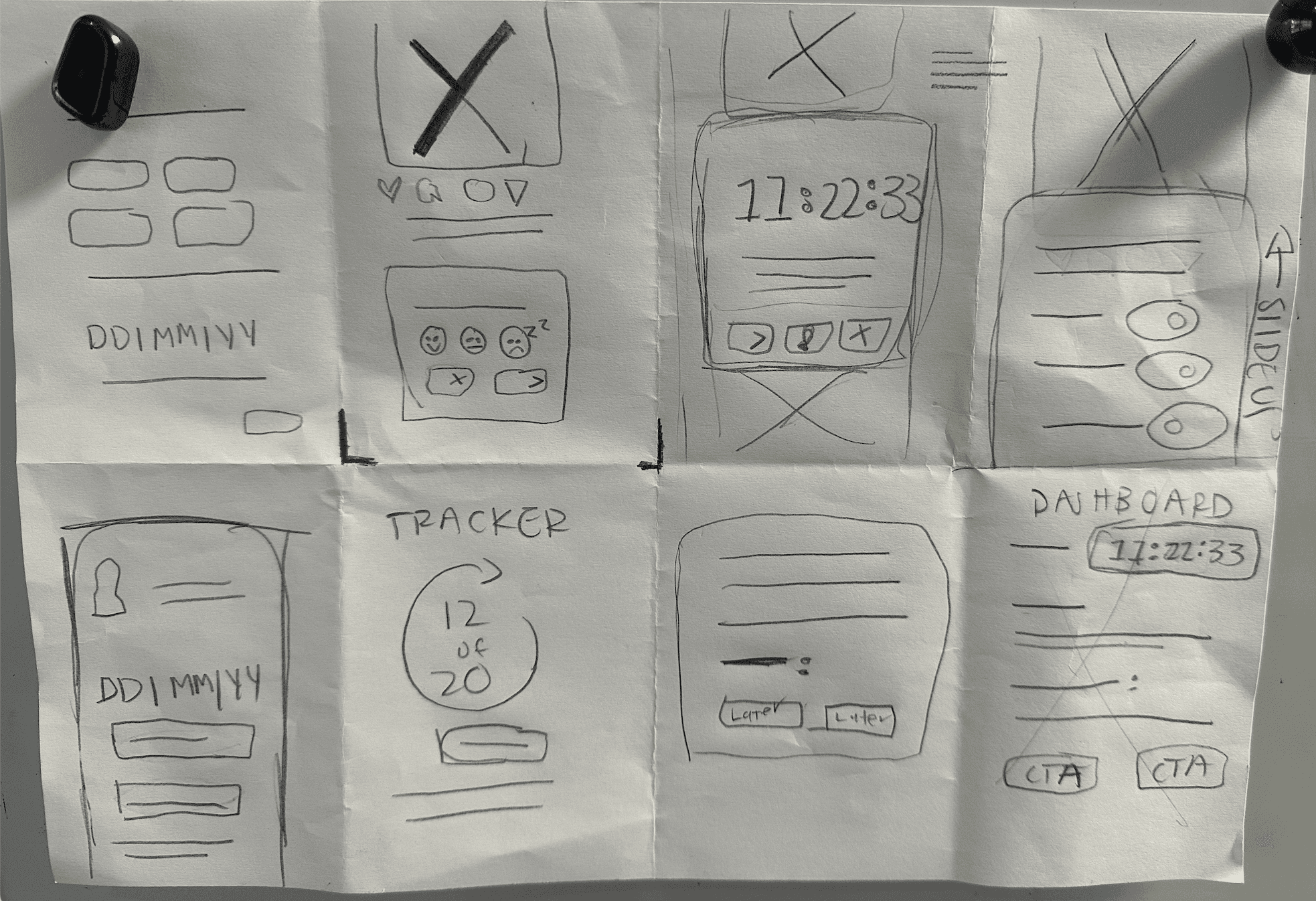
Paper Wireframes
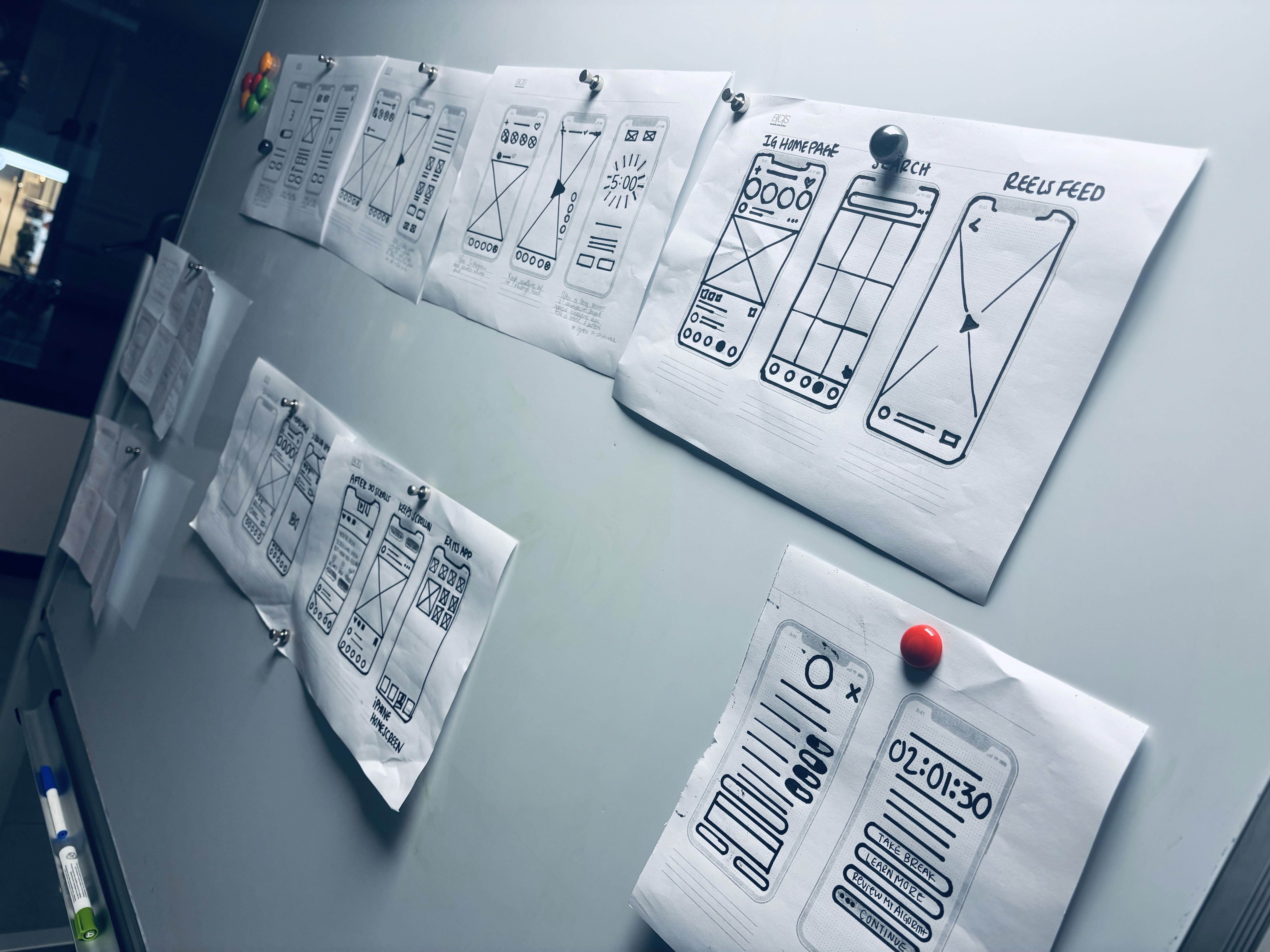
After the crazy 8 sketches, I refined the ideas into paper wireframes.
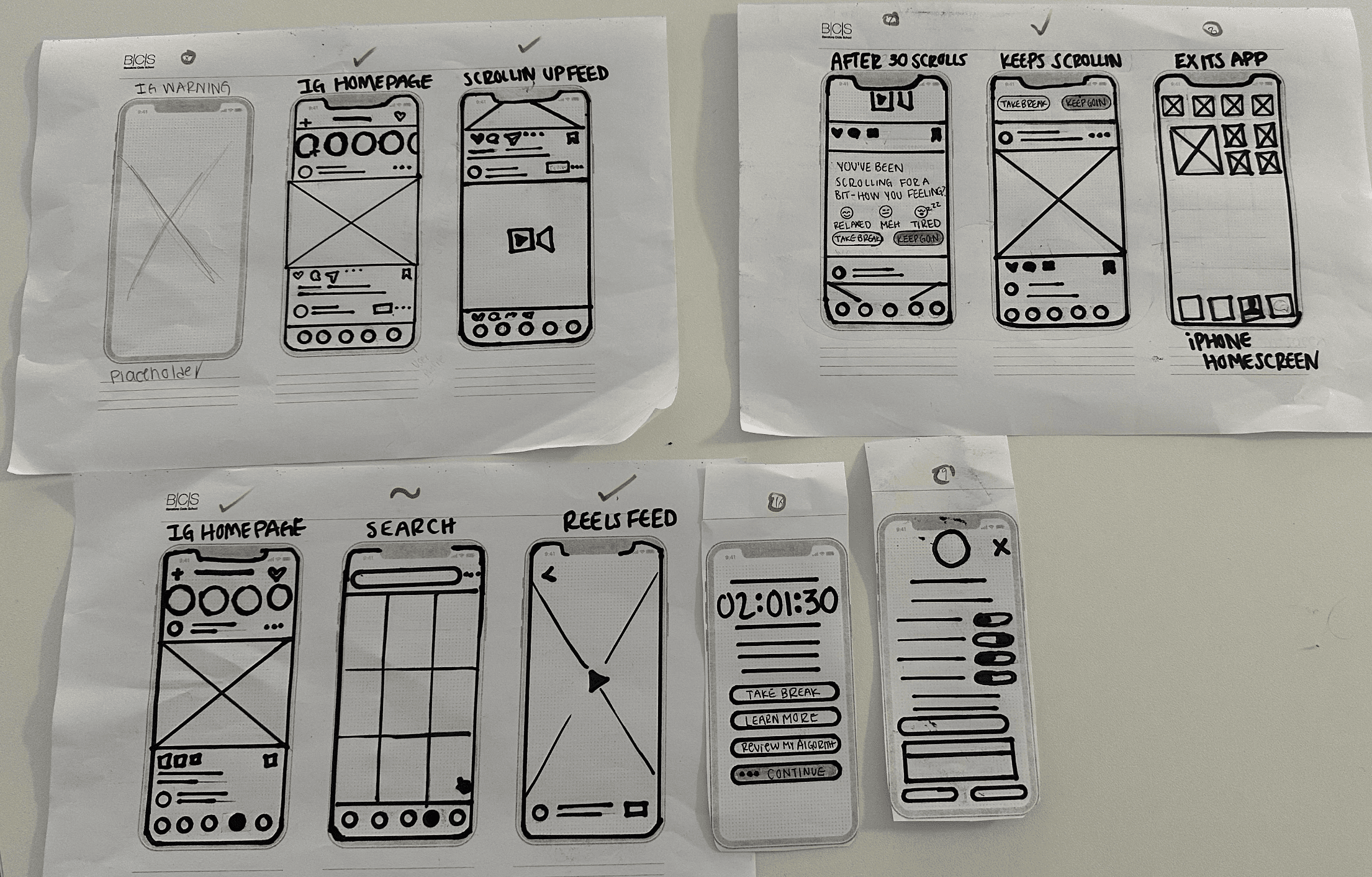
Prototype
For our prototype we essentially recreated parts of Instagram and had a few pop up warnings. Because we weren’t going to be testing in a real life scenario of having someone actually scroll/interact with instagram for a few hours we decided to split our warnings into two tests.
Validate
Usability Tests Introduction
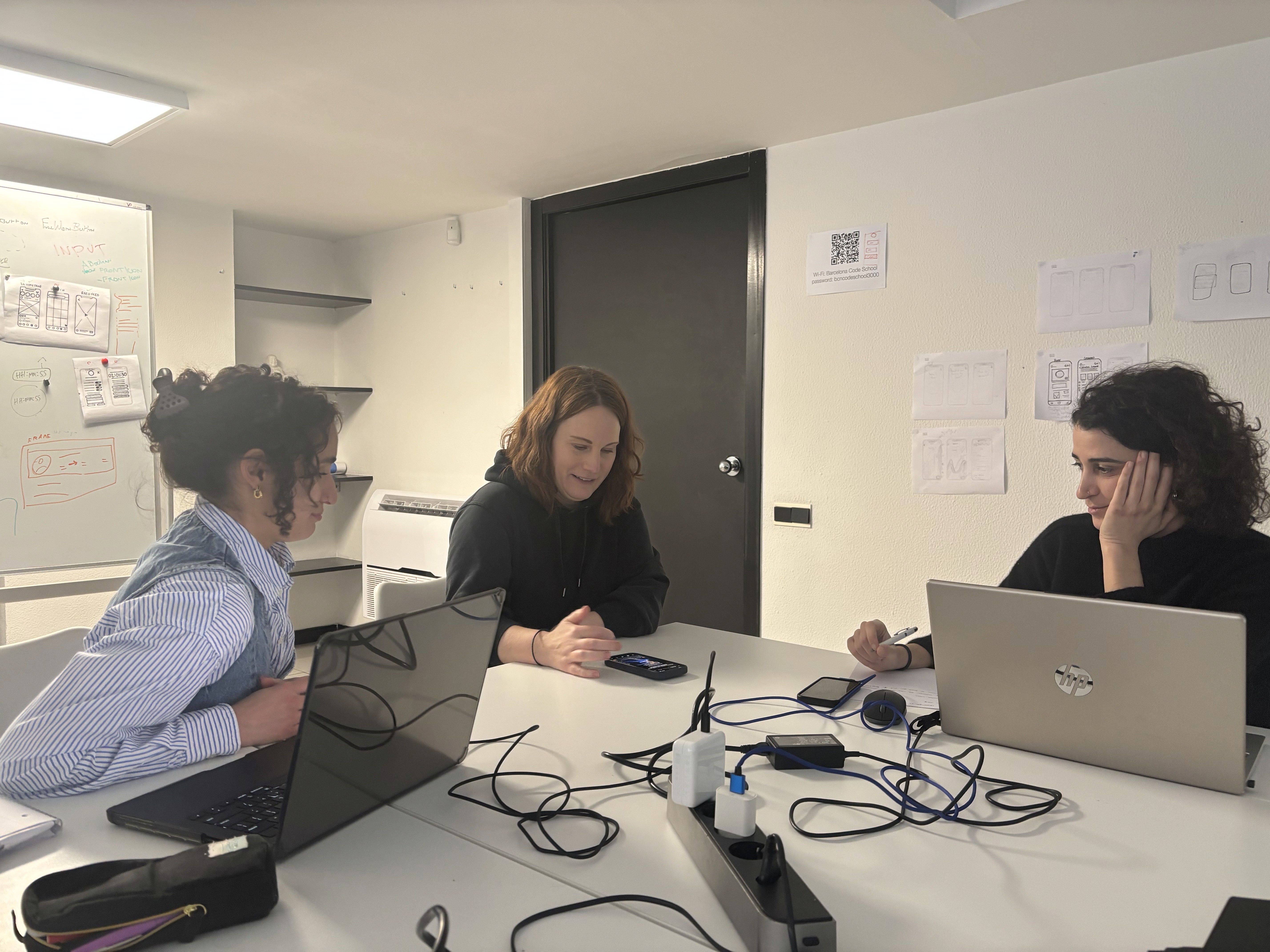
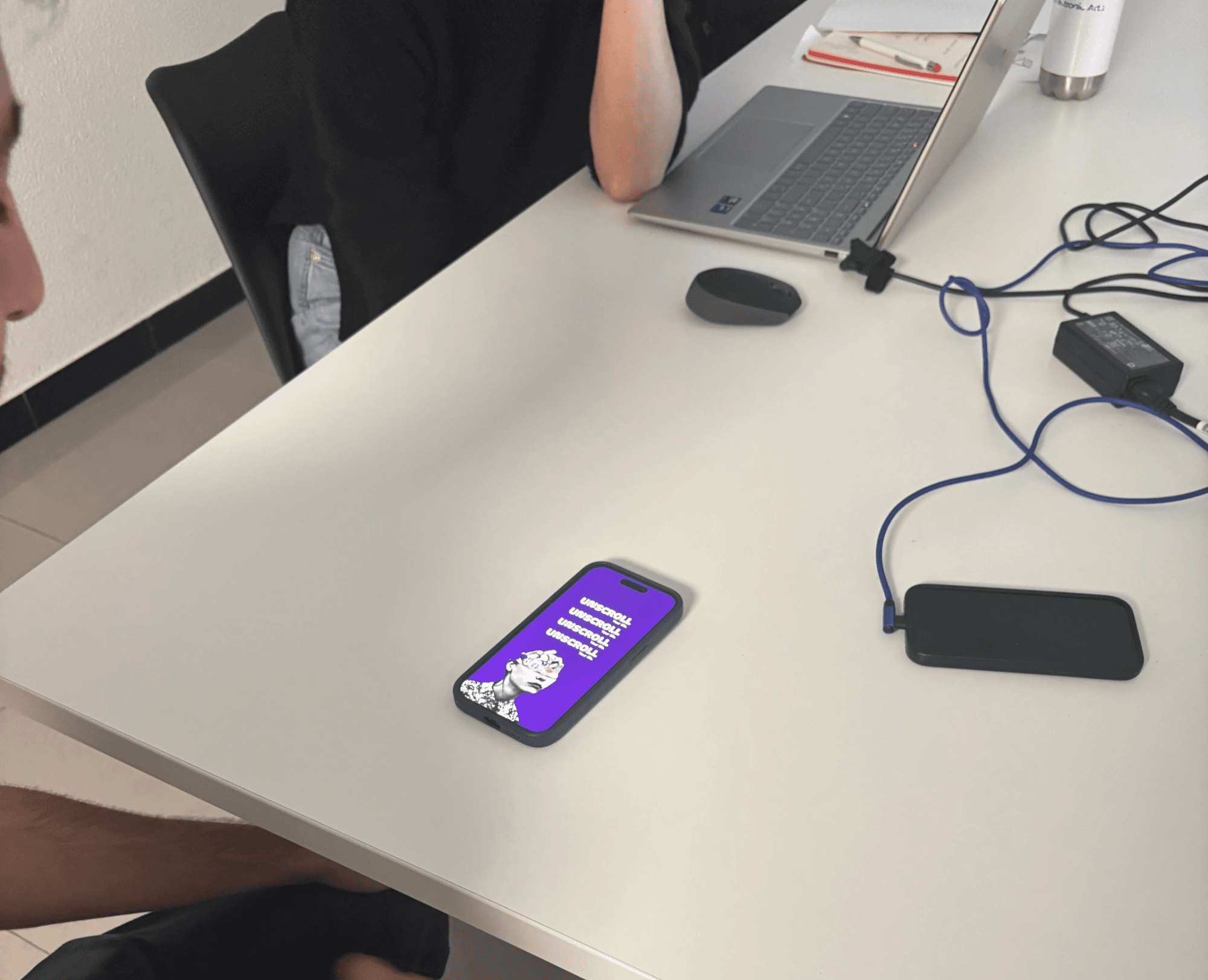
After perfecting our first prototypes, or well in this case as best as we could in the 1 week timeframe, we began our usability tests. Again, keeping to the magic number 5. We created a interview script to help guide us through the process and see what we could learn from our five individual users.
To ensure the effectiveness of our testing, we pre-defined our usability research objectives. We set clear goals to understand user behavior and outlined the key insights we aimed to extract:
Does Unscroll actually make users more aware of their social media behavior?
Do the warnings meaningfully interrupt behavior, or are they ignored?
Is Unscroll something users want in their lives?
How much intervention is “just right”?
Do users understand why they’re being interrupted?
How does Unscroll feel emotionally?
Does this feel like a believable, trustworthy product?
Is this intervention enough — or not enough?
Do they think the EU should implement this law for all phone/social media users?
With our objectives aligned, we moved into the usability testing phase. We developed a script to guide our interviews and encouraged participants to verbalize their thoughts, feelings, and perceptions in real-time as they interacted with the prototype.
Key Takeaways - Conclusion
After putting our prototypes in front of real users, it was finally time to see whether our ideas actually worked outside of our own heads. We tested a few warnings that appeared in the post feed, showing signs of fatigue and gently reminding users that they had been scrolling for a while as well as a 2 hour count-down timer in the reels to give the illusion they have been scrolling for that alloted time.
Interestingly, most users reacted positively to the idea at first. They described the warnings as “cool” and appreciated the reminder that they had already spent a significant amount of time on their phone. In theory, it felt helpful and supportive rather than intrusive.
However, as we observed their behavior more closely, another pattern quickly emerged. While users liked the reminder, many admitted that if they really wanted to keep scrolling, they would simply ignore it. The warning worked more as a moment of awareness than a real stopping point. Users might pause, close the app briefly, and then return shortly after.
This showed us that while gentle nudges can be effective in creating awareness, they are not always strong enough to change behavior on their own. Our usability testing revealed that reminders need to feel meaningful and timely, not just informative. If they are too easy to dismiss, they risk becoming part of the background rather than a true intervention.
Overall, these findings helped us understand that users were open to warnings that created a sense of awareness as well as tools such as our algorithm settings that made them feel in control of their own choices effectively, while not being too disruptive or taking away from their experience using social media.
Retrospective
Design Iterations (Before and After)
Summary
Starting this project, I’ll admit the challenge felt slightly intimidating when we reviewed the initial brief. Tackling something as complex as social media addiction in just four weeks seemed ambitious—maybe even a little unrealistic. But with each stage we completed, the uncertainty slowly turned into confidence, and the learning curve was very real (in the best way).
By the end, Catarina and I were genuinely proud of what we had built—not just visually, but in terms of its potential impact. Since social media addiction was already a topic I found myself thinking about often, I finished the project feeling curious (and slightly impatient) to know whether Unscroll would actually create meaningful long-term change.
While we can’t measure that impact just yet, the process itself was incredibly valuable. It sharpened my understanding of user behavior and strengthened my ability to make thoughtful, strategic design decisions—less guessing, more intention.
If you've made it this far, thank you so much for taking the time to read this
extremely extensive case study. I hope this means we will get to talk soon! 😃